What Is Estbdlha?
Estbdlha is a mobile application that allows you to exchange loyalty points you do not need with loyalty points you needs. This innovative approach transforms idle point balances into valuable opportunities by facilitating exchanges between users.
Why Use Estbdlha?
Many people accumulate loyalty points from different programs—such as telecom providers, airlines, or retail stores—but often find them difficult to use before they expire.
Estbdlha addresses this issue by providing a platform where users can:
How to use Estbdlha:
1- How to verify Mobile, Email, and enable Notification?
2- How to invite a Friend?
3- How to Add an order?
4- How to Book an Offer?
5- How to Transfer Points?
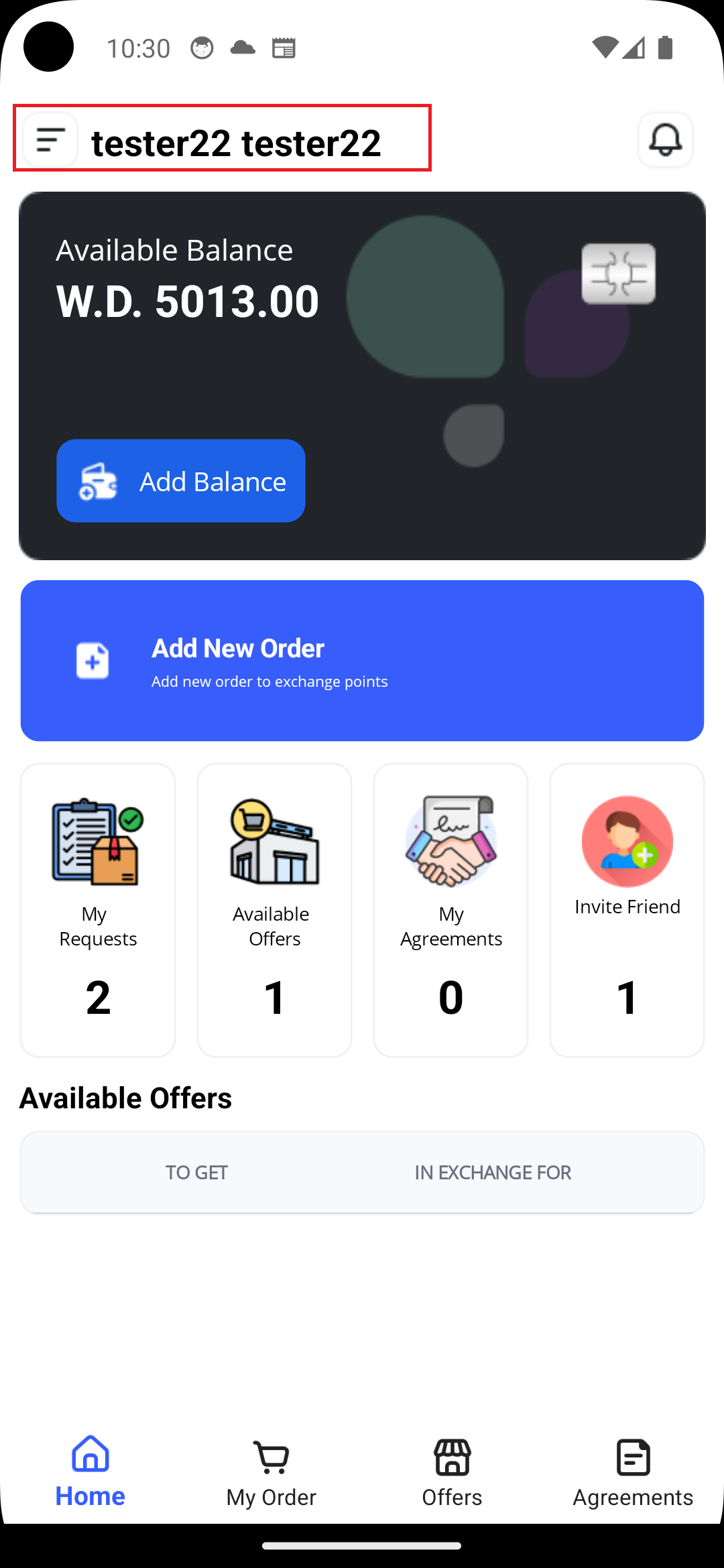
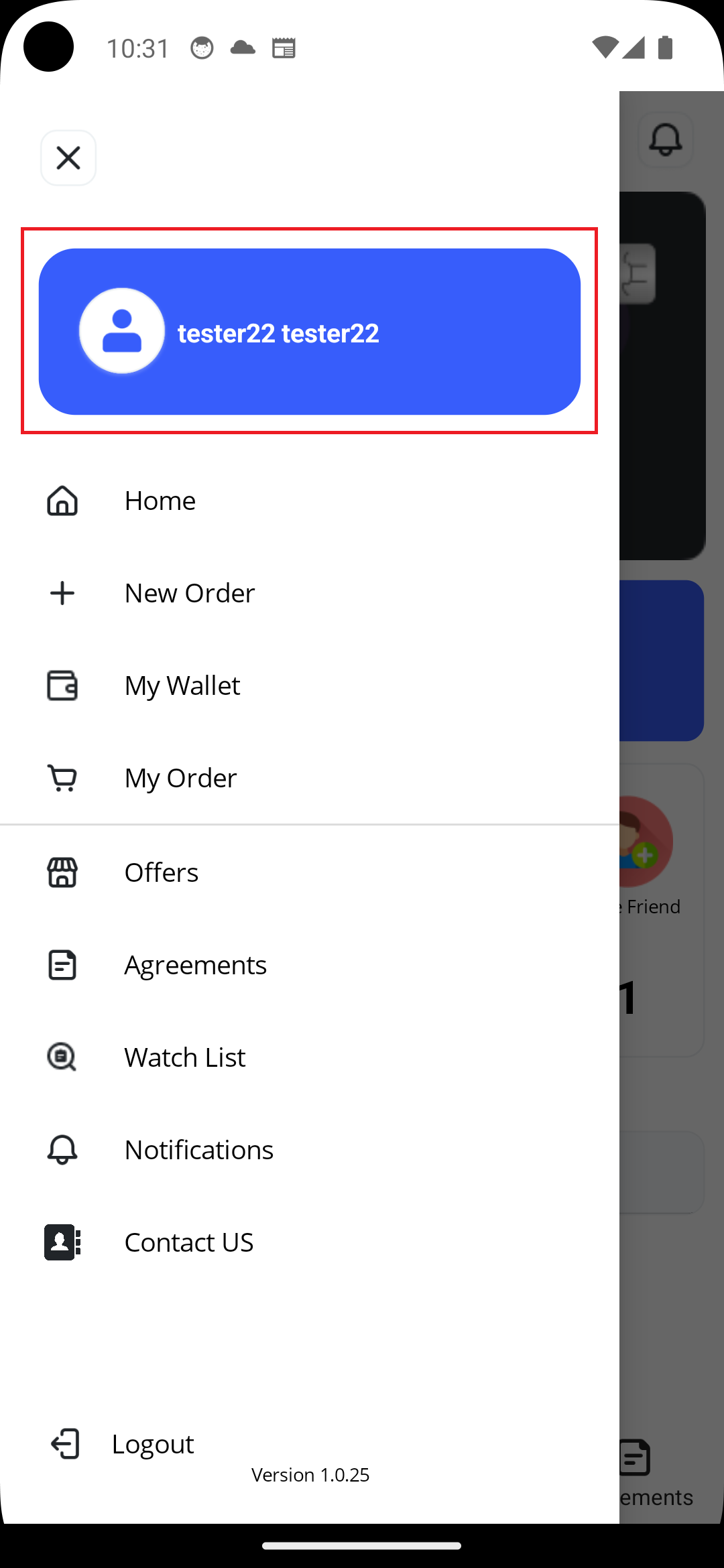
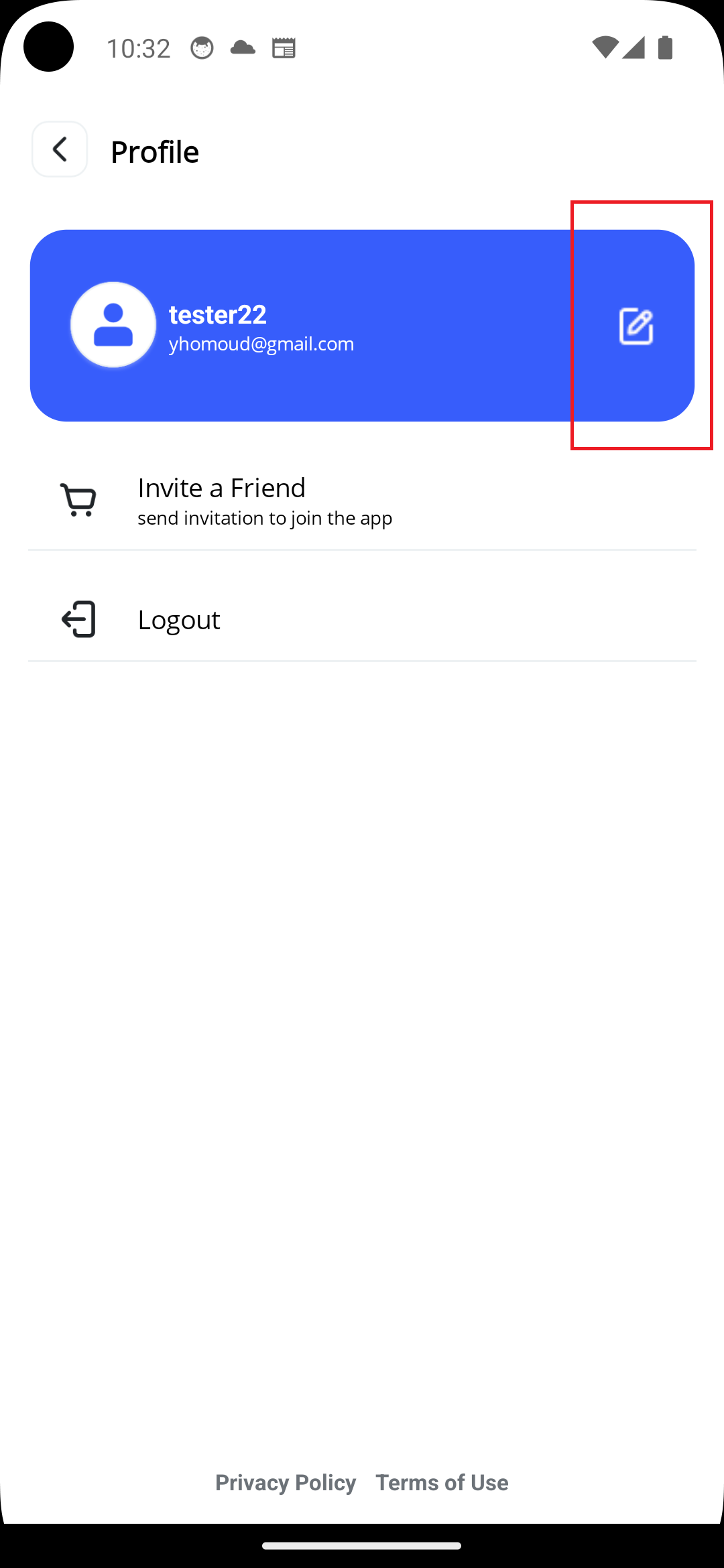
Go to Menu , click on Your Name in the Blue Box, then clck on Edit icon in front of your Name
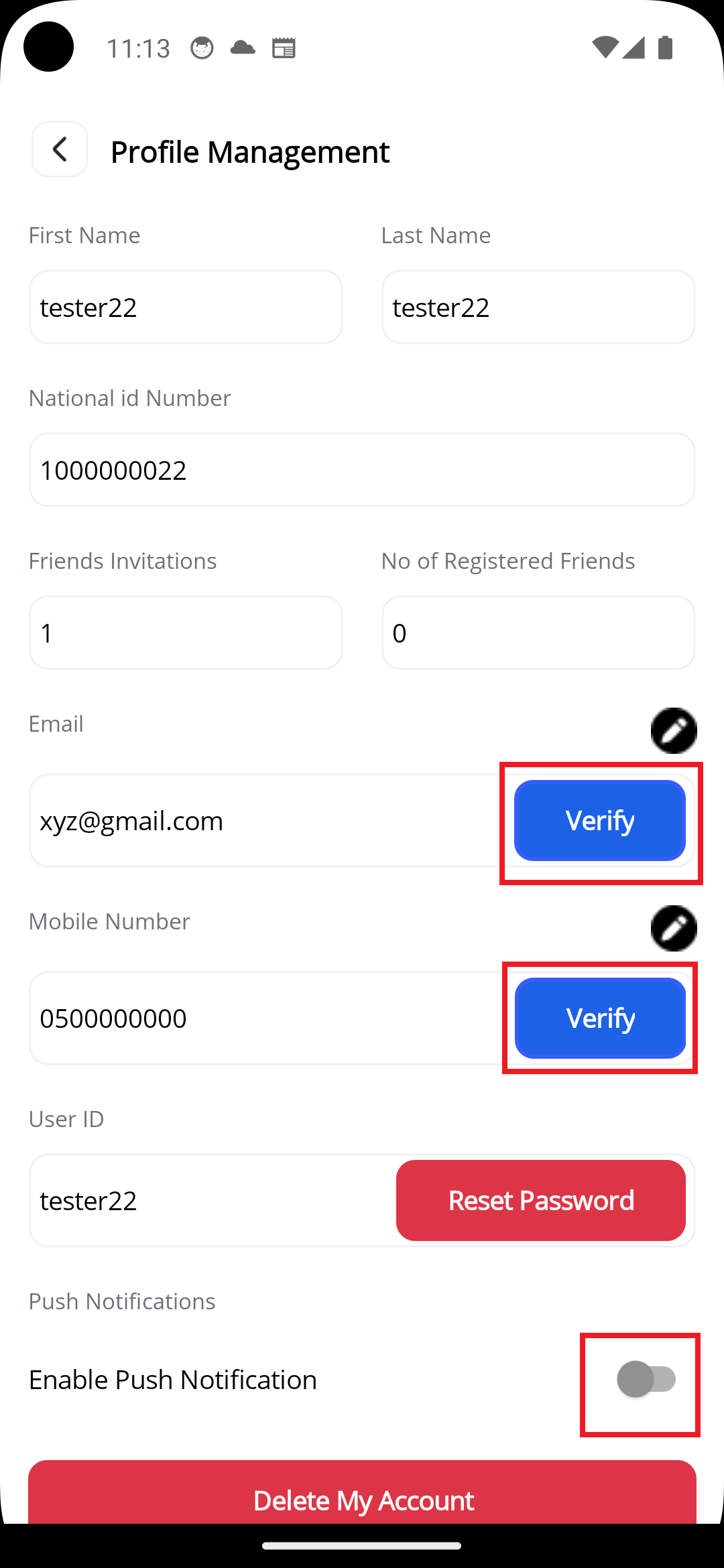
Verify Mobile Number
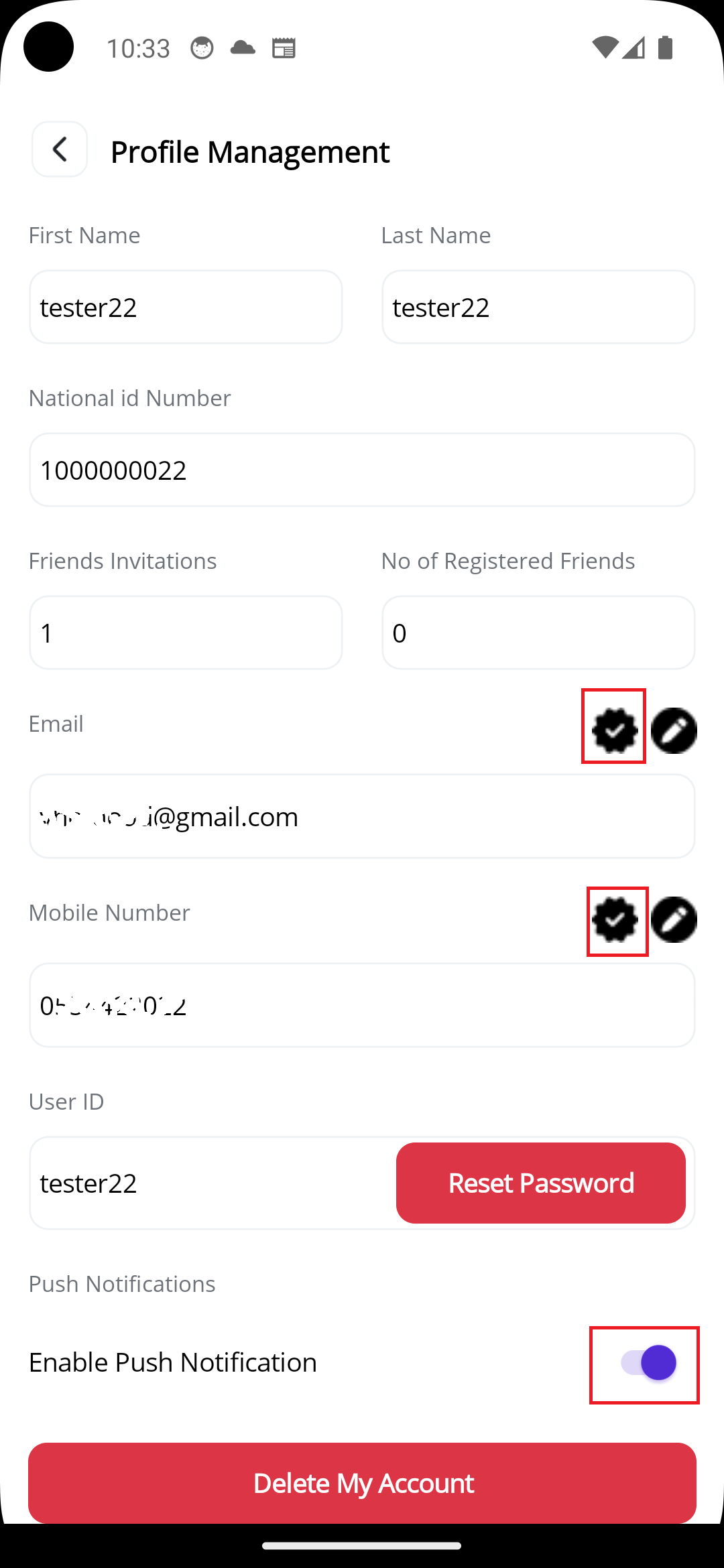
In Profile Management screen, if your Mobile Number is not verified yet, you will see Verify button on top of your Mobile Number field, click on it. It will open a new Screen to enter verification OTP, wait for a while, you will receive an activation code via SMS on your Mobile. Enter the received OTP and click Continue. After That, App will take you back to Profile Management screen and you will see verification icon on top of your Mobile Numner
Verify Email Address
In Profile Management Screen, if your Email Address is not verified yet, you will see Verify button on top of your Email Address field, click on it. It will open a new Screen to enter verification OTP, Check you email account, you will receive an activation code email. Enter the recived OTP and click Continue. After That, App will take you back to Profile Management and you will see verification icon on top of your Email Adress
Enable Push Notification
In Profile Management screen, if Push Notification is not enabled yet, click on option button infront of Push Notification. It will be enabled, and you will recive a Push Notification message in few seconds to confirm enabling this option
Activated Profile
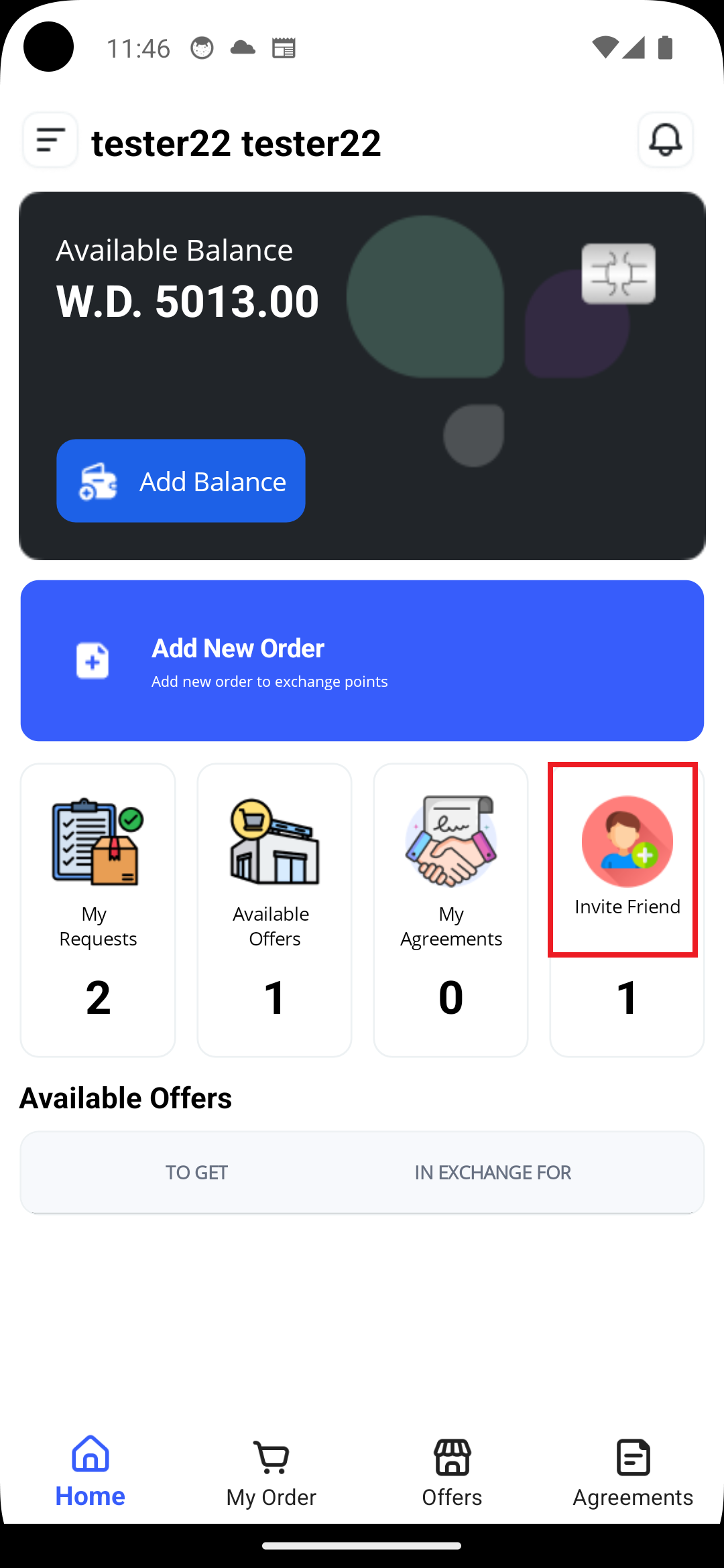
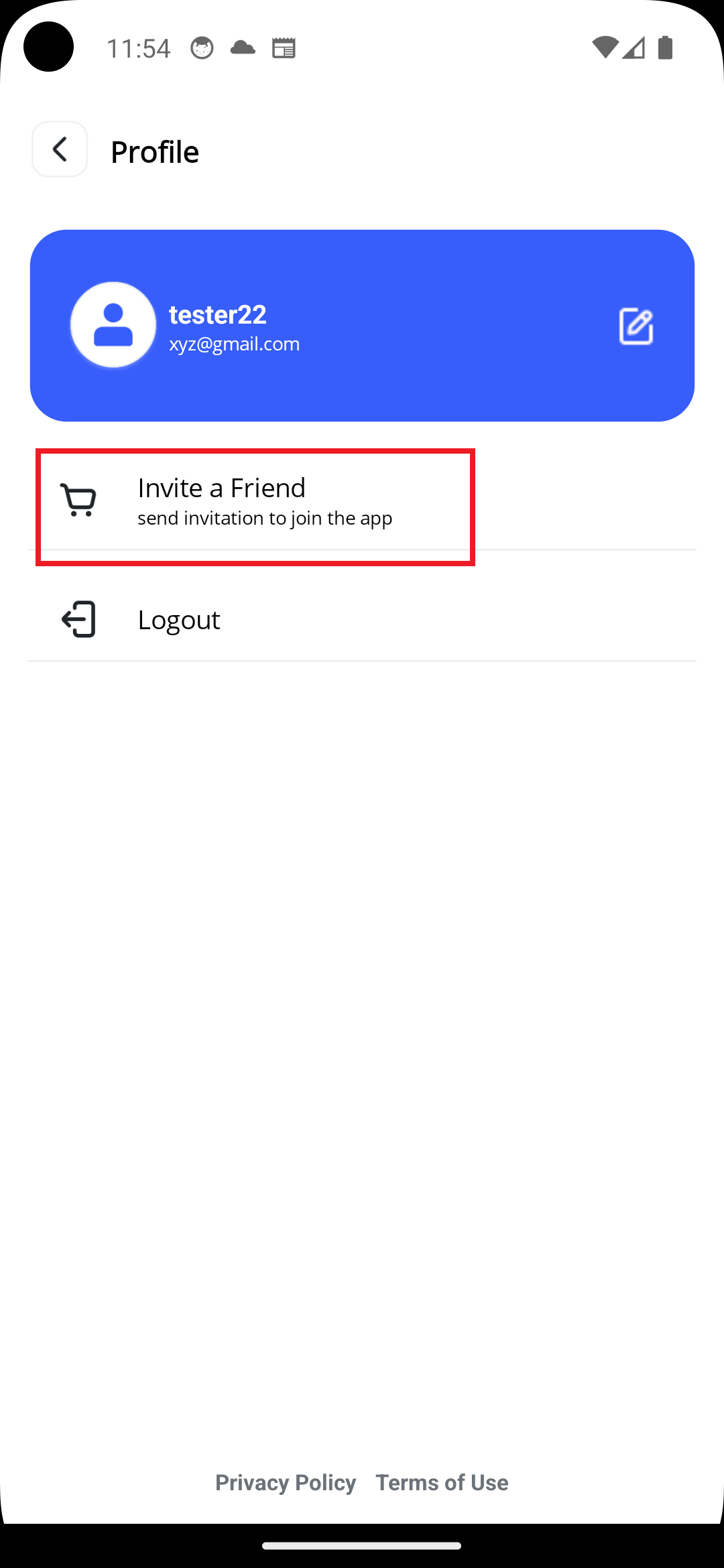
In Main Screen Select "Invite Friend" , or Go to Menu , click on Your Name in the Blue Box, then click "Invite a Friend"
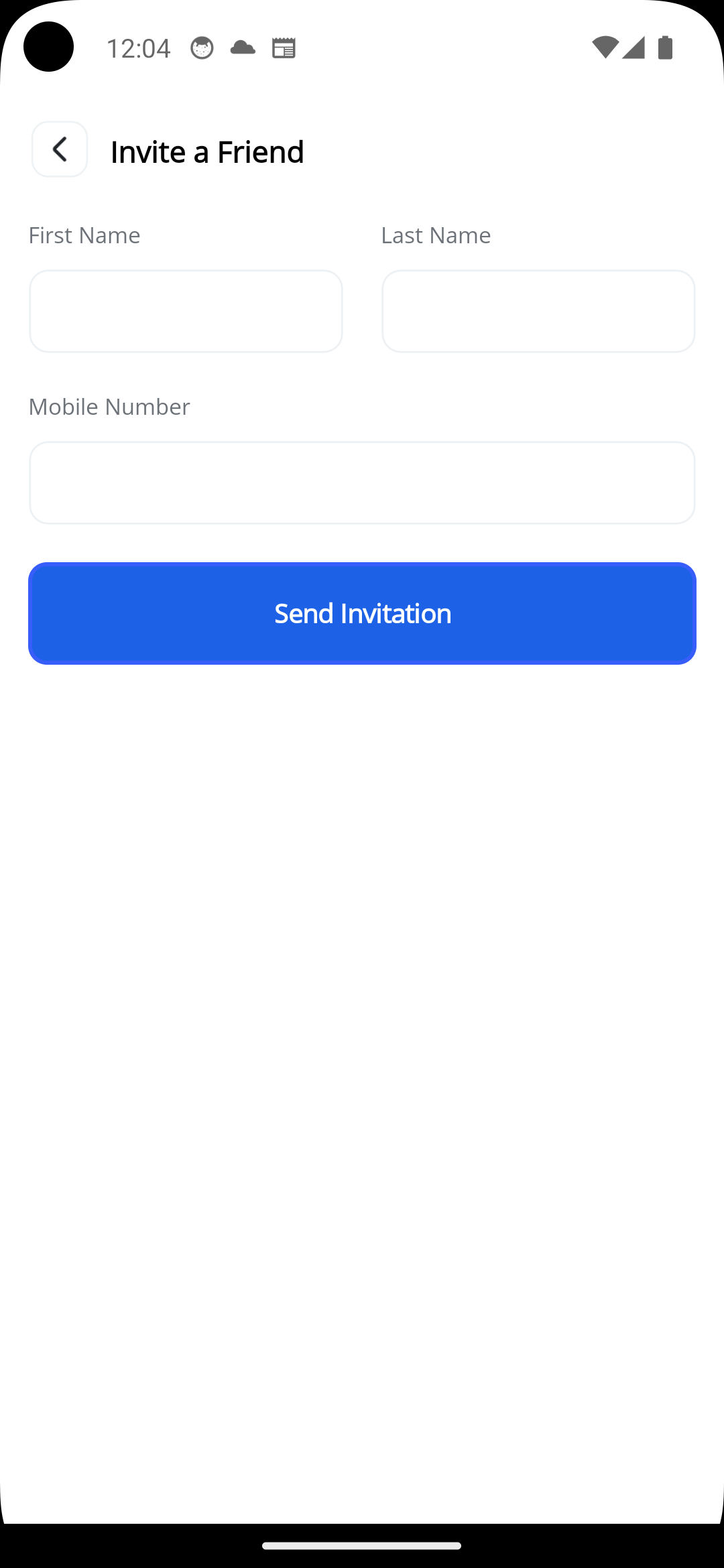
Enter your friend first and last name
Enter your friend Mobile
Your friend will receive an invitation SMS, you can view invitation in Nitrifications Screen.
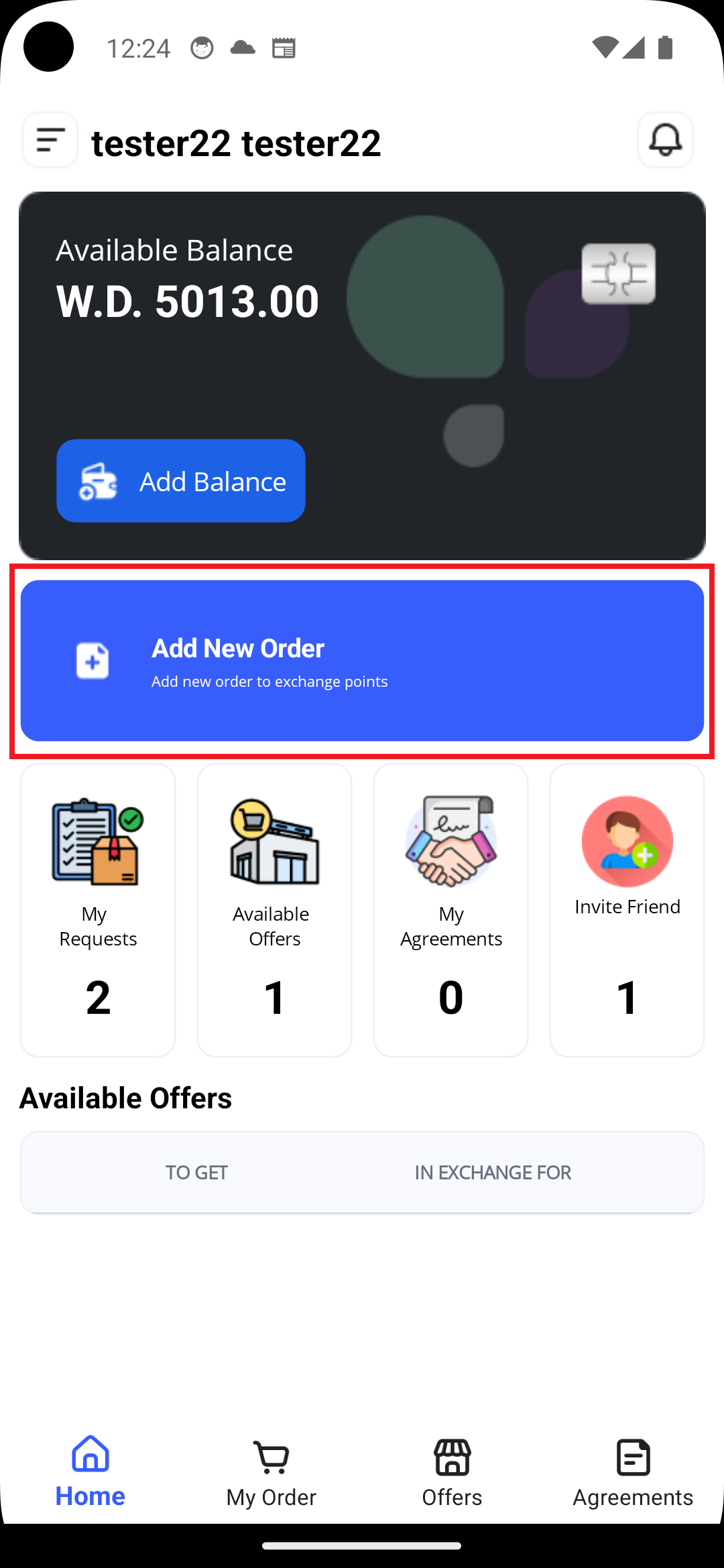
In Main Screen Select "Add New Order" , or Go to Menu , click on New Order
An Order is a request to exchange points placed by you, where other people can see it under Available Offers Section. Before you add a new order, look into Offers section, you might find nd offer that meets your need. if an offer is available, Book the offer and continue as explained in "How to Book an Offer", instead of Adding a New Order
First Screen : Points you have, and you want to transfer
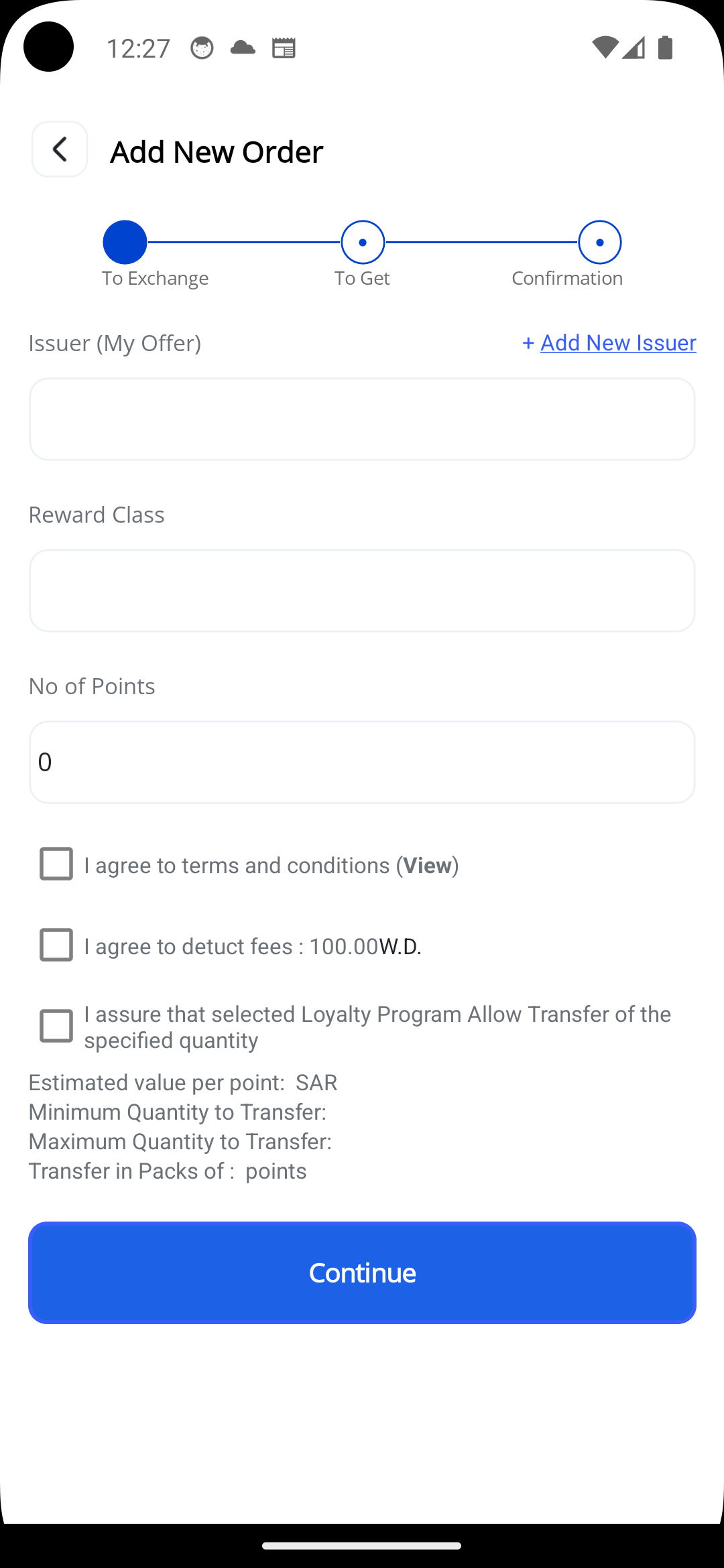
Choose the company which issued your points
Choose Loyalty Program name
Enter No of of Points you want to transfer
Read and Accept all options
The estimated value of each point helps you determine the value of the points you wish to convert, enabling you to determine how many points to request on the next page. This app is not intended to provide investment tools to obtain more points from others in exchange for increasing the estimated value of your points beyond their actual redemption value. If you increase the estimated value of your points beyond their actual redemption value, no one will accept to do an exchange with you. Do your own research to determine the correct value of the points you wish to convert and the correct value of the points you wish to receive. If you find the value in the app inaccurate, please contact us and let us know so we can update it.
Some loyalty programs impose terms on the points transfer service, such as a maximum number of points you can transfer, a minimum number of points you can transfer, and transfer packages (multiples of points). Some programs also allow only one transfer per member/customer per month. Review the program terms on the official loyalty program website and confirm before placing any order. This way, you can successfully complete the transfer once another customer books your order. If there is incorrect information on the app, please contact us to update the terms.
Second Screen : Points you want to get
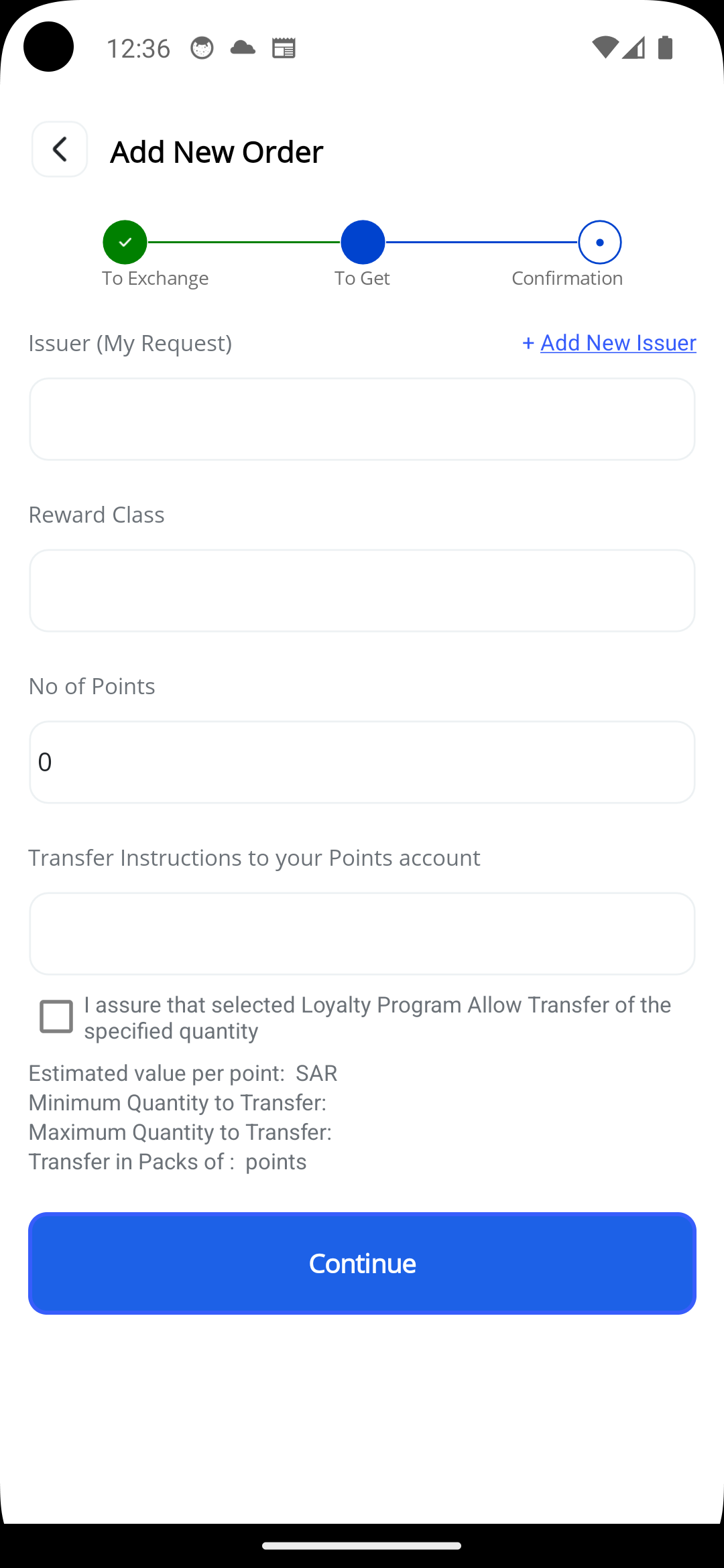
You have to make sure you have an active account/membership with the requiested points loyalty program that you want to get
Choose the company which issues points you want to get
Choose Loyalty Program name
Enter No of of Points you want to get
Enter Transfer Instructions: Enter your Membership No or Mobile No or National ID No or UserID , which is used by Loyalty program company to transfer points to you. For an example some Telcomunication company uses mobile number , and some banks uses membership no. some companies uses more than one option . Make sure to enter the right and accurate details so the other person can transfer points to you
Read and Accept all options
The estimated value of each point helps you determine the value of the points you want to receive versus the number of points you want to transfer from the previous screen. This app is not intended to provide investment tools to obtain more points from others by underestimatimng the value of the points you want to receive below their actual redemption value. If you underestimate the value of the points you want to receive below their actual redemption value, no one will accept to do an exchange with you. Do your own research to determine the correct value of the points you want to transfer and the correct value of the points you want to receive. If you find the value in the app is inaccurate, please contact us and let us know so we can update it.
Some loyalty programs impose terms on the points transfer service, such as a maximum number of points you can transfer, a minimum number of points you can transfer, and transfer packages (multiples of points). Some programs also allow only one transfer per member/customer per month. Review the program terms on the official loyalty program website and confirm before placing any order. This way, you can successfully complete the transfer once another customer books your order. If there is incorrect information on the app, please contact us to update the terms.
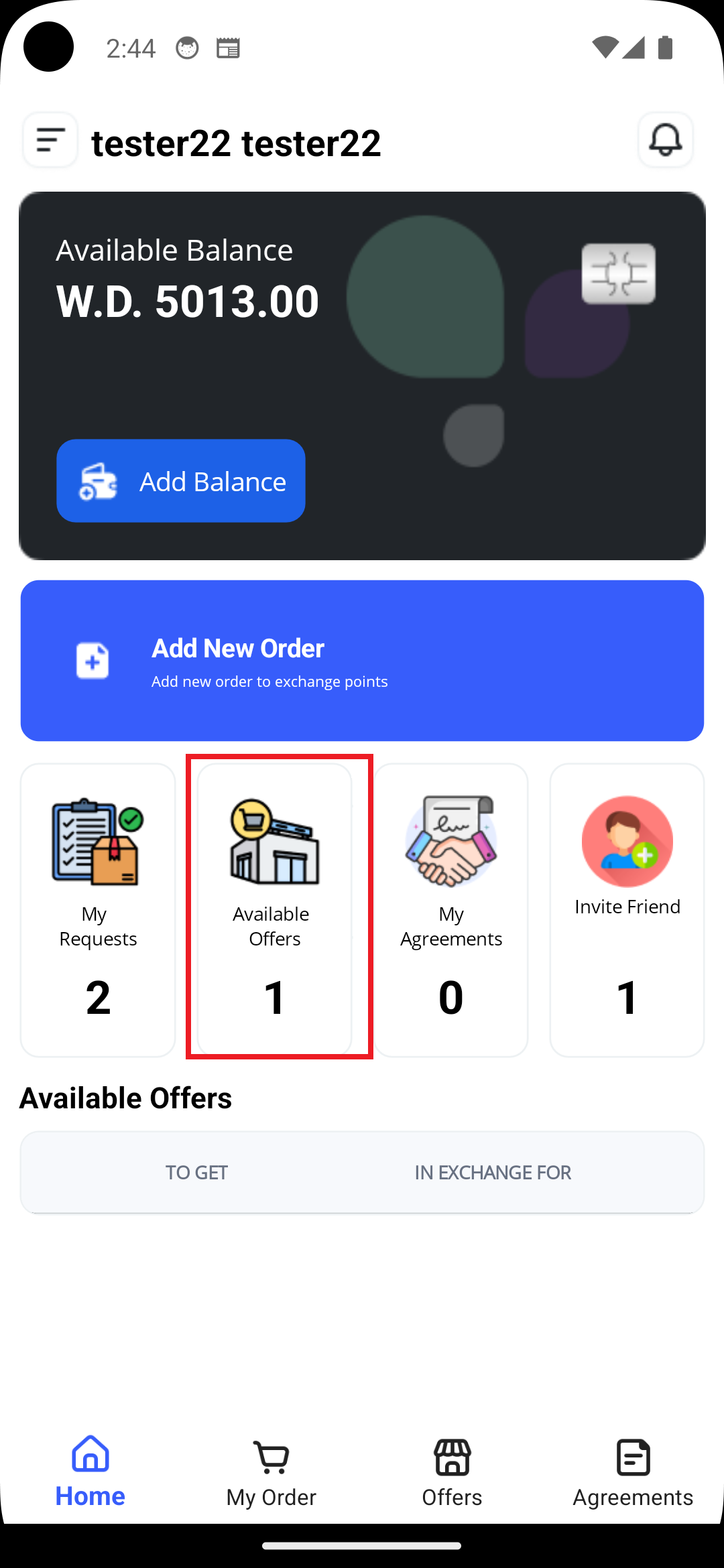
In Main Screen Select "Available Offers"
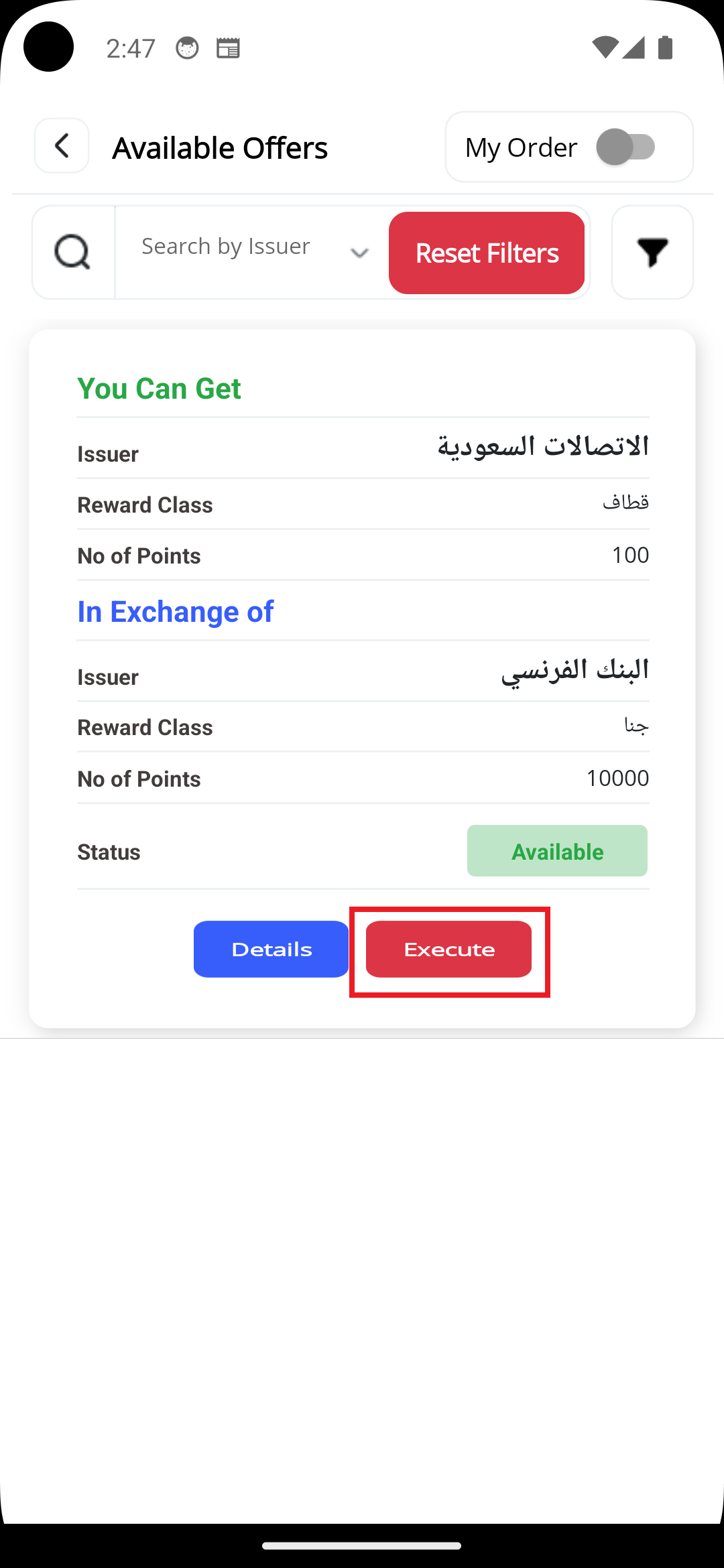
An Offer is an Order added by someone who wants to exchange points, and if an offer matches your need you can book it by clicking on "Execute" button. You have to make sure you have an active account/membership with the offered points loyalty program that you need to get
Note: Points should be transfered manually by you and the other party (Offer Owner) via Loyalty Program APP/Website - it is not done by Estbdlha App at this time
You can search offers by Name of Company
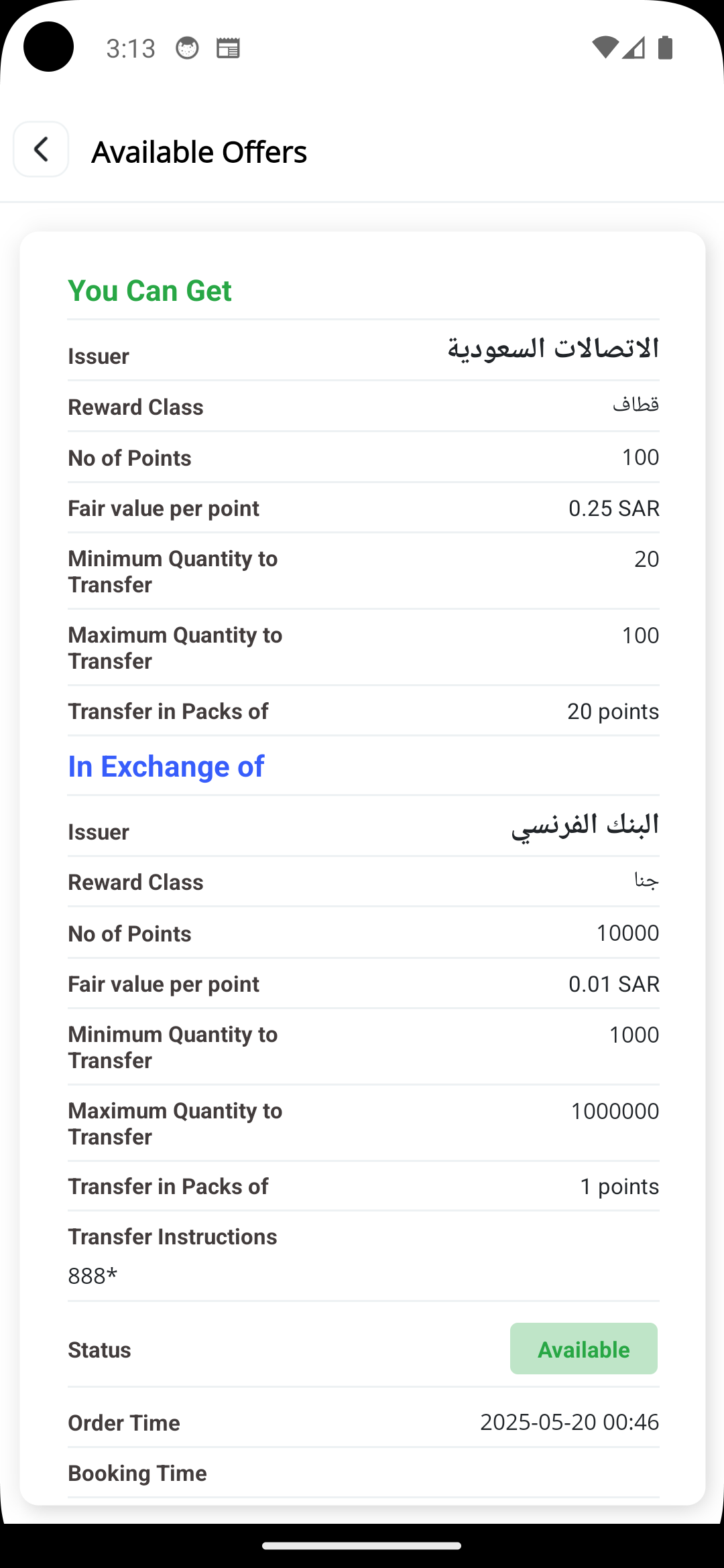
You can click on Offer Details Button to see more Details about the offer
Booking an Offer
"You can get" is the points that you will recive if you book an offer
The estimated value of each point helps you determine the value of the points you will receive versus the value of points you have to transfer. Do your own research to determine the correct value of the points you want to transfer and the correct value of the points you want to receive. If you find the value in the app is inaccurate, please contact us and let us know so we can update it.
Some loyalty programs impose terms on the points transfer service, such as a maximum number of points you can transfer, a minimum number of points you can transfer, and transfer packages (multiples of points). Some programs also allow only one transfer per member/customer per month. Review the program terms on the official loyalty program website and confirm before placing any order. This way, you can successfully complete the transfer once another customer books your order. If there is incorrect information on the app, please contact us to update the terms.
"In Exchange of" is the points that you have to transfer if you book an offer
The estimated value of each point helps you determine the value of the points you you will transfer versus the value of points you will receive. Do your own research to determine the correct value of the points you want to transfer and the correct value of the points you want to receive. If you find the value in the app is inaccurate, please contact us and let us know so we can update it.
Some loyalty programs impose terms on the points transfer service, such as a maximum number of points you can transfer, a minimum number of points you can transfer, and transfer packages (multiples of points). Some programs also allow only one transfer per member/customer per month. Review the program terms on the official loyalty program website and confirm before placing any order. This way, you can successfully complete the transfer once another customer books your order. If there is incorrect information on the app, please contact us to update the terms.
if an offer matches your need, click on "Execute Button", and you will be asked to enter Transfer instructions.
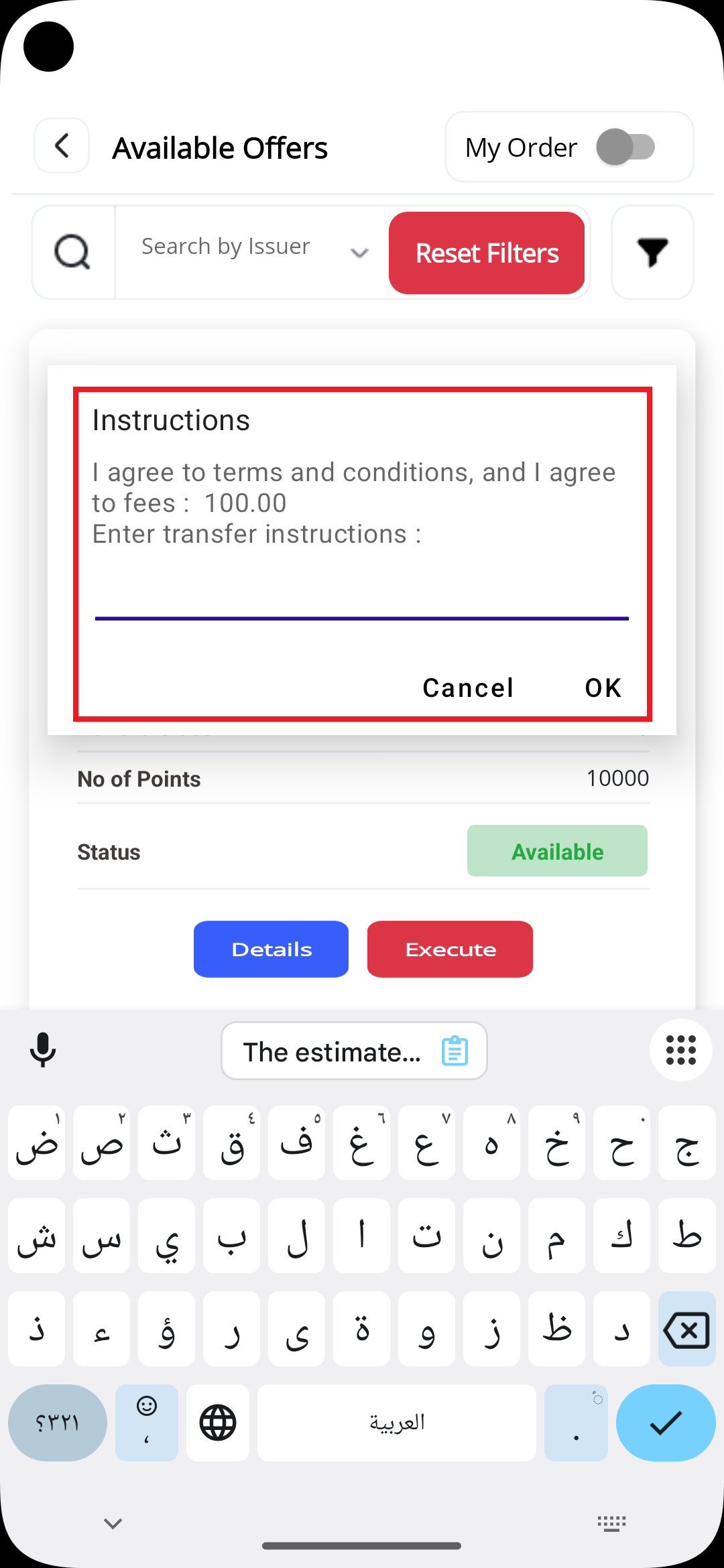
Enter Transfer Instructions: Enter your Membership No or Mobile No or National ID No or UserID , which is used by Loyalty program company to transfer points to you. For an example some Telcomunication company uses mobile number , and some banks uses membership no. some companies uses more than one option . Make sure to enter the right and accurate details so the other person can transfer points to you
Once you click "OK" an agreement will be created between you and the Offer Owner, to manage the transfer process -See Agreements section for further details
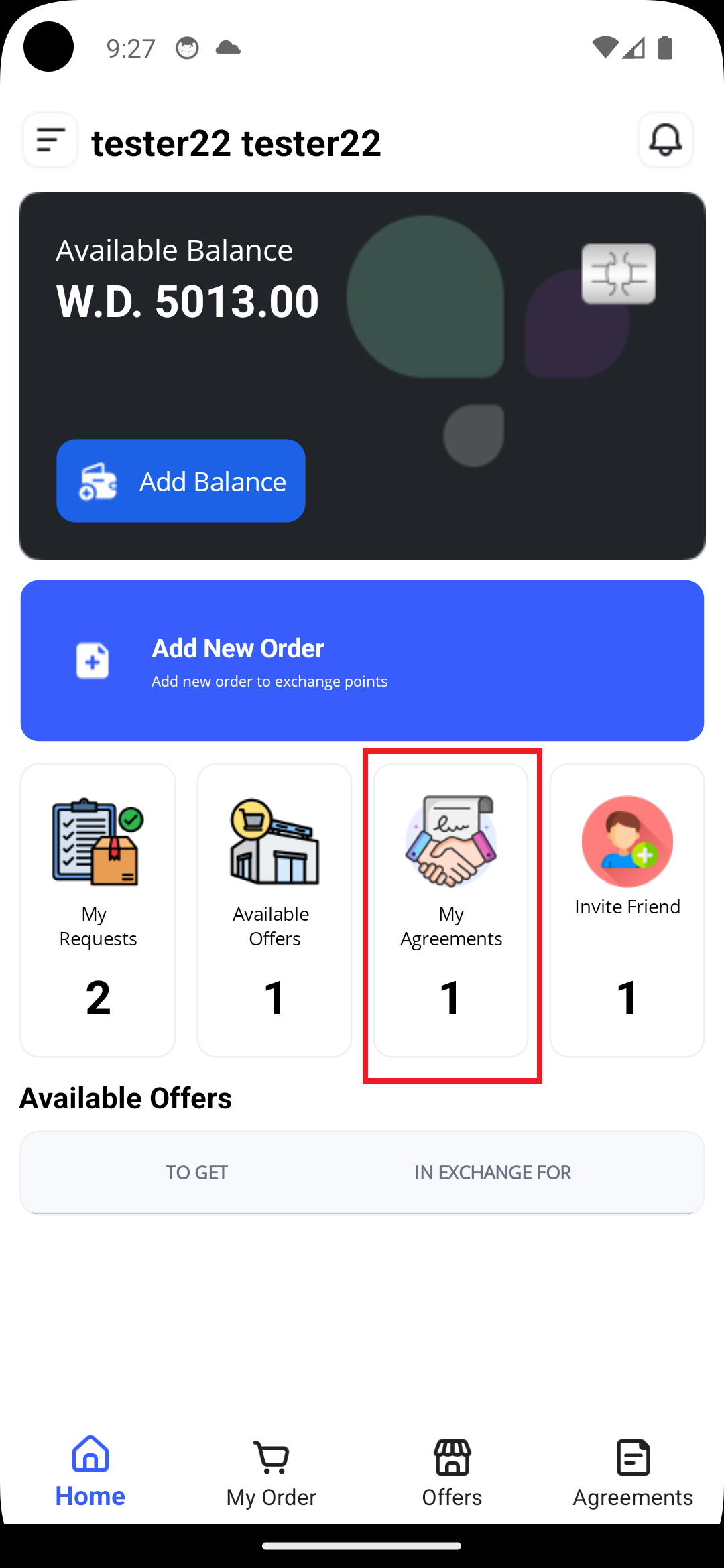
In Main Screen Select "My Agreements"
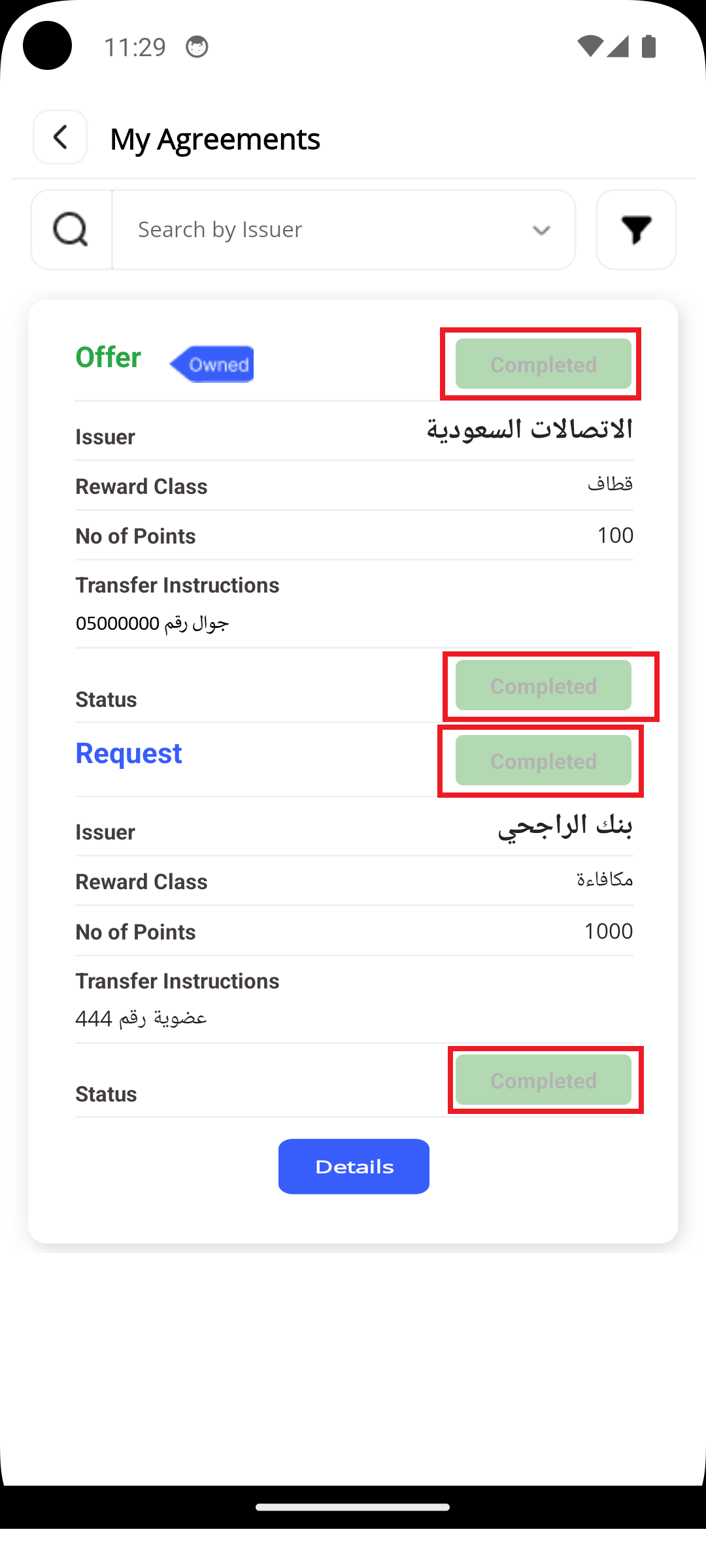
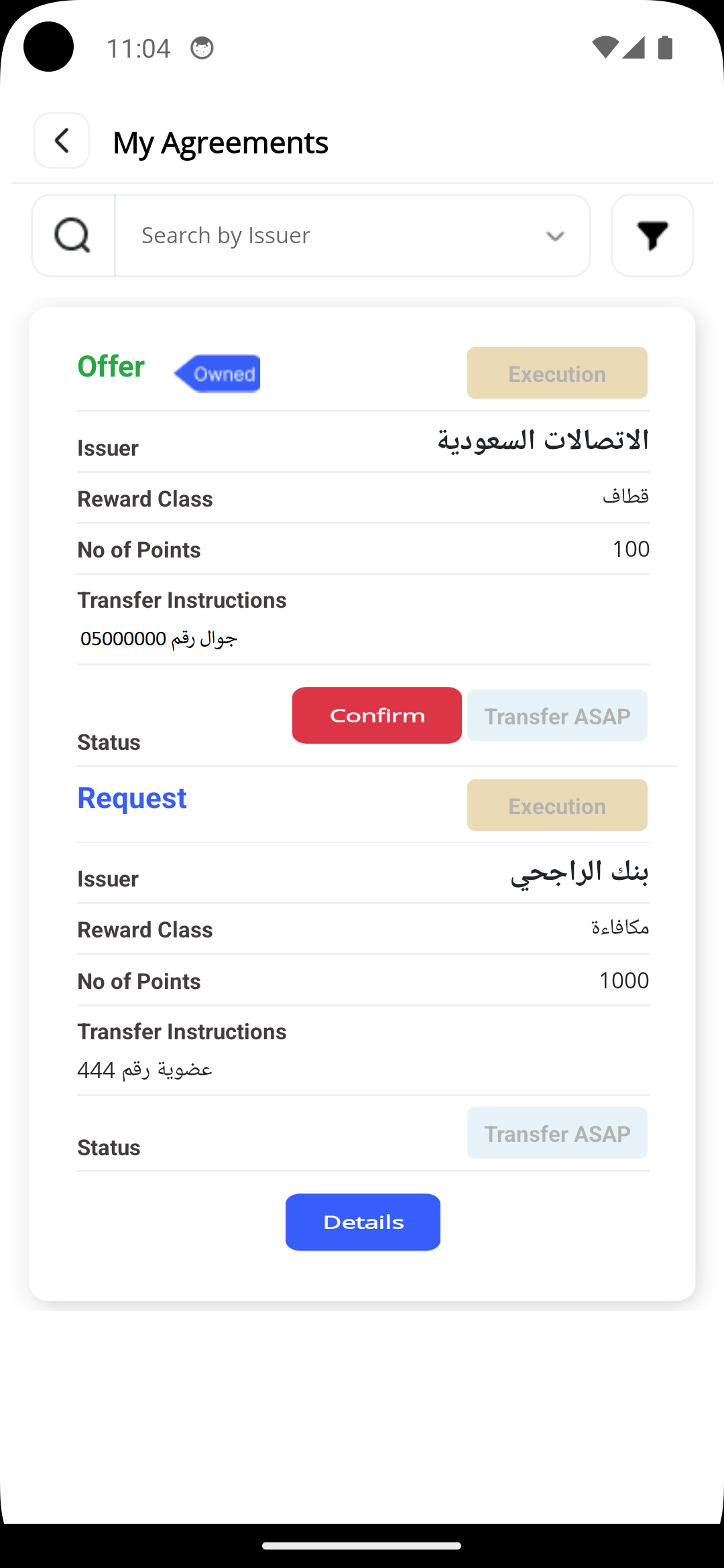
An agreement is a contract between you and the other party where evryone should complete points transfer and then update the Transfer status in the agreement
Note: Points should be transfered manually by you and the other party via Loyalty Program APP/Website - it is not done by Estbdlha App at this time
You can search agreement by Name of Company
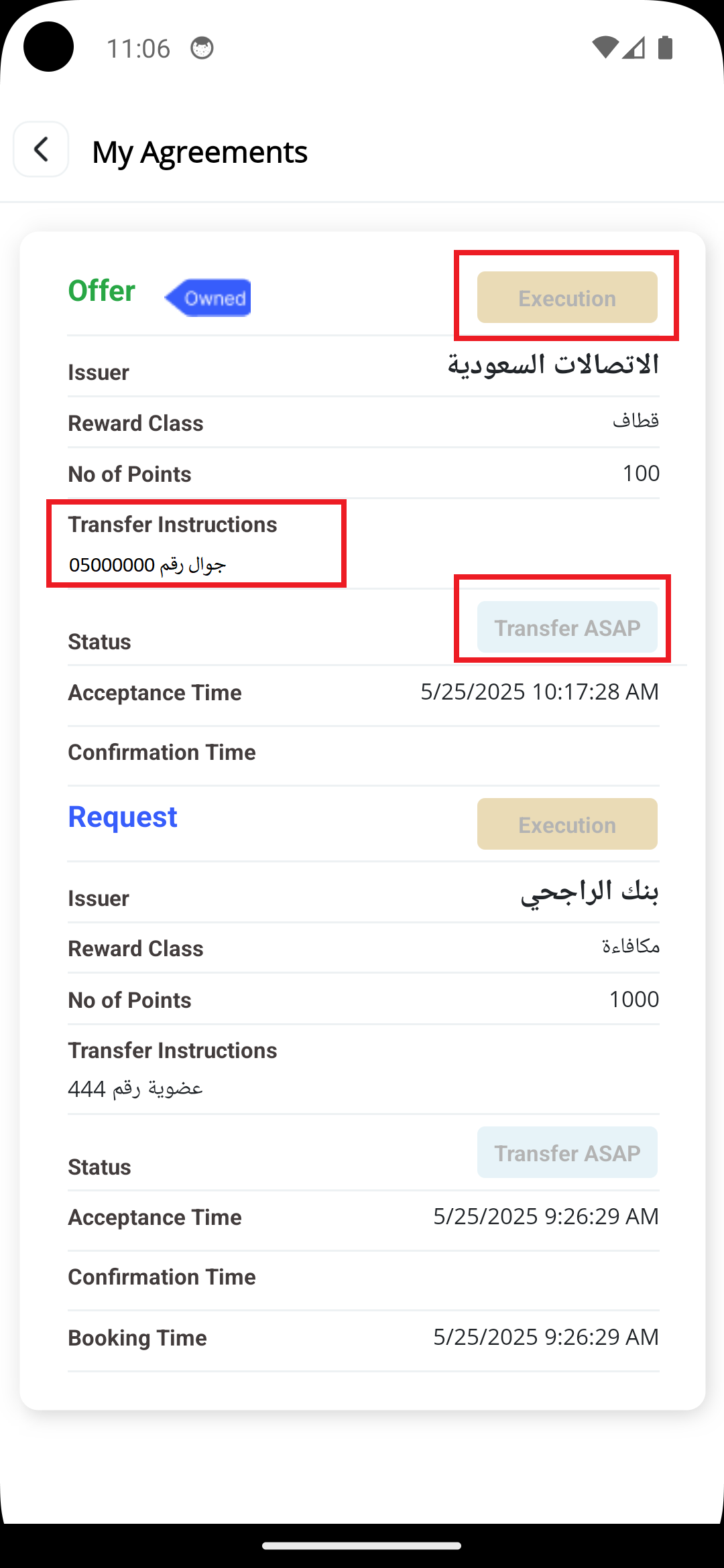
You can click on agreement Details Button to see more Details about the agreement
Transfer Points
Now, you should login to your Issuer Loyalty Program app/website, and transfer your Offer points to the other parties as per his Transfer Instructions. Make sure, you take screenshots to prove you have done the transfer, if requested by Estbdlha Team.
Once, you completed the transfer of your Offer points, confirm the transfer by clicking “Confirm” button. Transfer Status and Order Status will be updated to ”completed”.
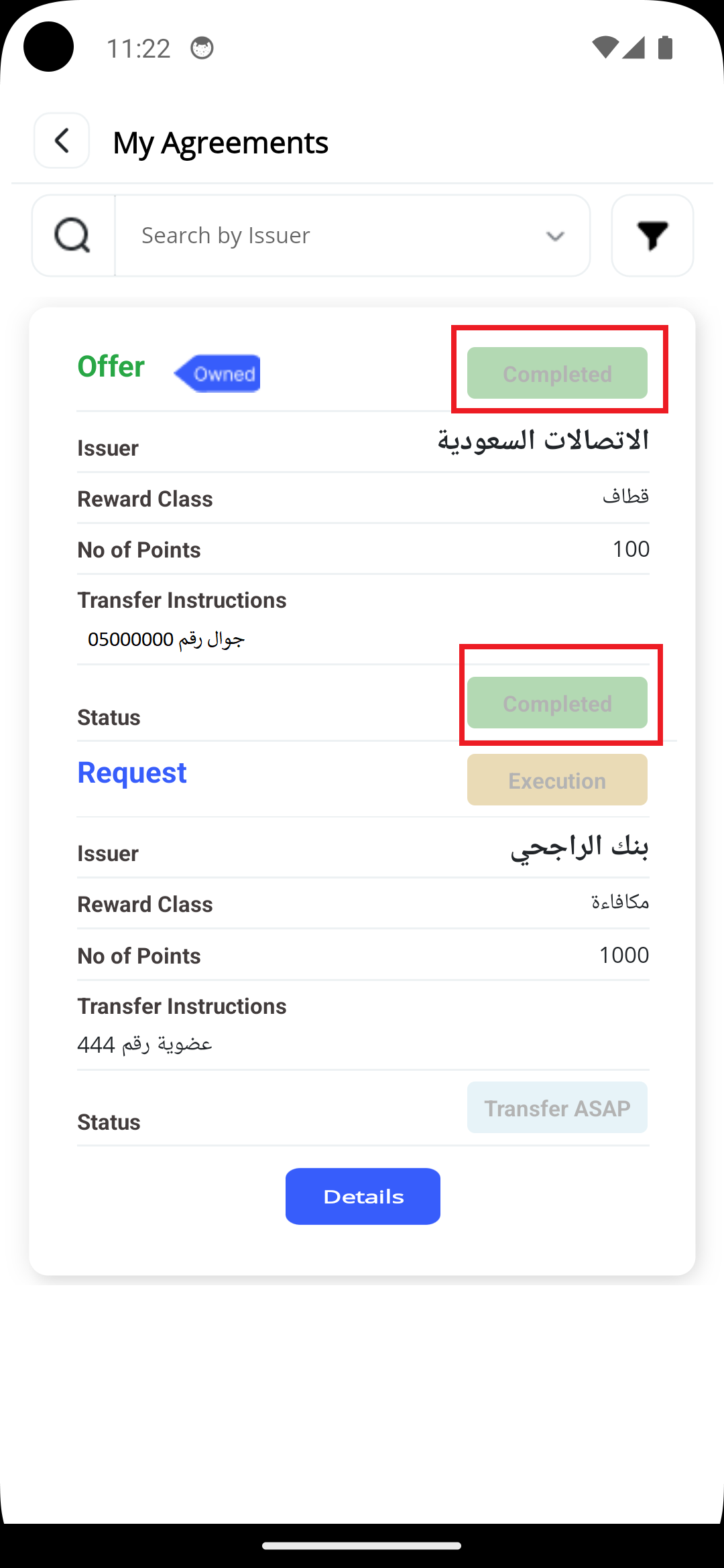
By this, you fulfilled your obligation of the agreement, and the other party will do the same process to complete the transfer ofhis Offer points – Your Request Points.